🎮 Game Controls & Keyboard Guide
Play Hotshift Fullscreen on Mythic Quest - Free RPG & Adventure Browser Games
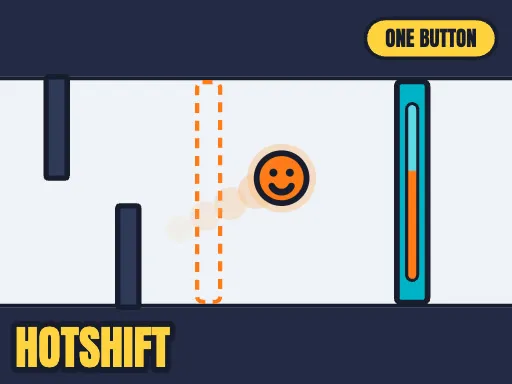
One button does two things at once. Hold it to rise — and to burn HOT. Let go to fall — and to go COLD. Orange gates let you through only while you burn. Blue gates only while you are cold. Going up means burning, so "be high and be cold" is a problem, and that problem is the whole game.
Embark on an exhilarating journey in Hotshift. Whether you have five minutes or several hours, this Arcade adventure will keep you on the edge of your seat.
⭐ Pro Tips & Strategy
Maintain a steady rhythm and avoid rushing when navigating through narrow obstacle gaps. Learn the attack and movement patterns of recurring obstacles to predict safe intervals.
⚡ Key Features
🏆 Endless Replayability
Challenging level design with increasing difficulty to test your mastery continuously.
📱 Cross-Platform Ready
Flawless gameplay experience on PC, Laptop, Chromebook, iPhone, iPad, and Android.



Complete Guide & Gameplay for Hotshift
Mastering Hotshift requires a blend of fast reflexes and smart resource management. Hone your reaction time to survive intense encounters.
This classic Agility browser title is fully optimized for HTML5 browsers, delivering responsive physics and immersive action on desktop, mobile, and tablet platforms without downloads.
